
Make every chug hit.
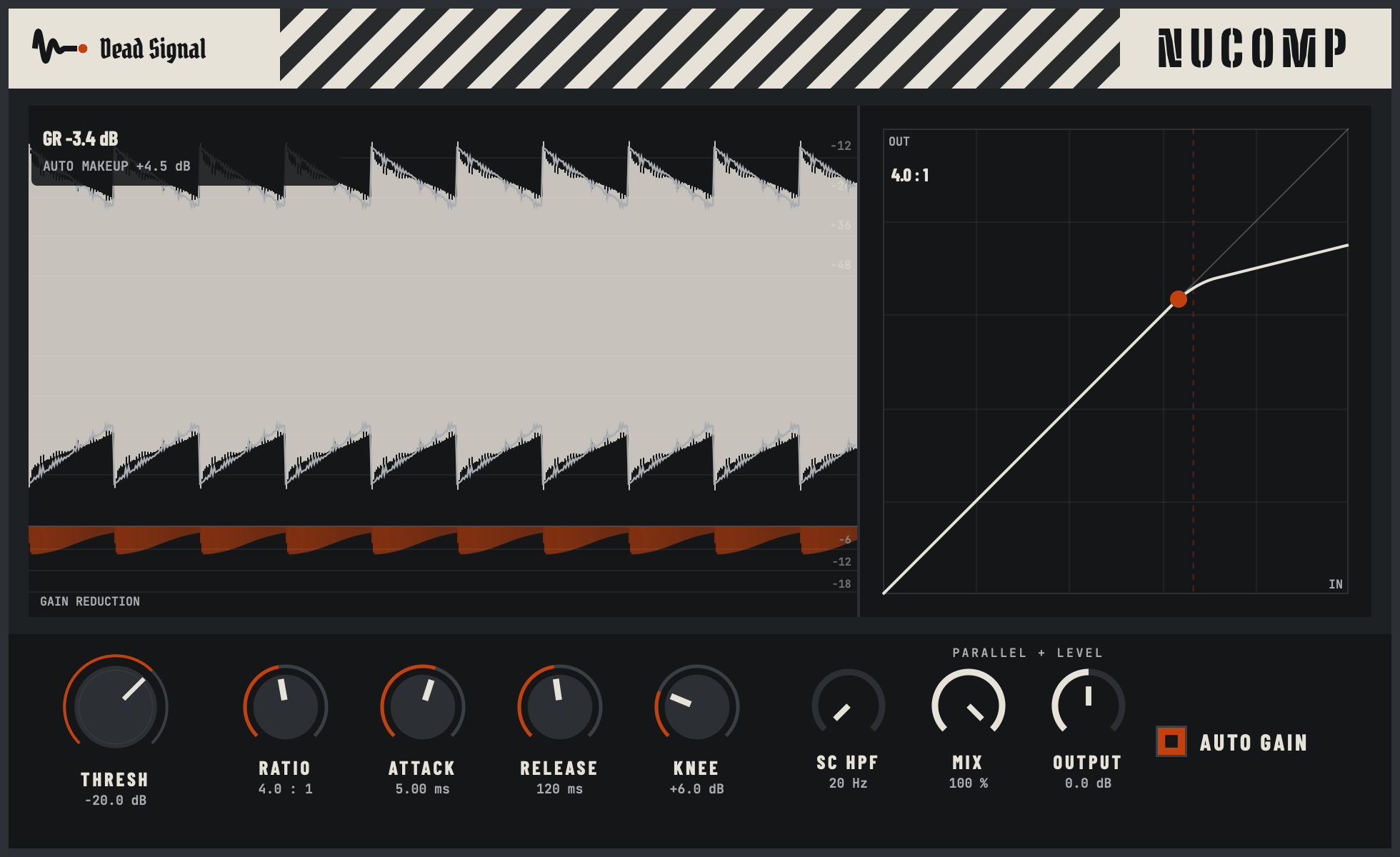
NuComp is a free compressor that shows you exactly what it's doing. A live curve, a gain reduction meter you can actually read, and auto gain so you hear punch, not volume. No email, no account, no catch.
Hear it
The slow-attack trick
Heavy guitars come off the amp already squashed. Put a compressor on them with a fast attack and you flatten them further, and the chugs turn to a wall of mush.
Slow the attack down and the compressor does the opposite. The pick attack gets through untouched, then the compressor clamps the body of the note behind it. The front of every chug jumps out. That's the whole demo above: one knob turned the right way.
What you get
- See what it's doing, not just hear it. A live transfer curve with a dot riding it, plus a scrolling gain reduction lane under the waveform.
- Judge the tone, not the volume jump. Auto gain gives back what the compressor takes, so bypass is a fair fight.
- Smash it and keep it natural. MIX blends the dry signal back in for parallel compression, right in the plugin.
- Stop the kick from pumping the whole bus. SC HPF keeps the low end from driving the compressor.
- From gentle to brick wall. Ratio 1:1 to 20:1, with a soft knee up to 24 dB wide.
- Safe on every channel. Zero latency.
- Measured, not guessed. Every build is checked against the math: 4:1 measures -8.99 dB where the textbook says -9.00.
Starting points
Rhythm guitar: more bite
Thresh -24 dB · Ratio 8:1 · Attack 50 ms · Release 50 ms · Knee 6 dB · Auto gain on. The exact settings from the demo.
Drum bus: parallel smash
Thresh down until the meter shows 6 to 10 dB · Ratio 4:1 · Attack 20 ms · Release 100 ms · SC HPF 100 Hz · Mix 50%. Tune by ear from there.
What it runs on
- Mac: macOS 12 or newer, Apple Silicon or Intel. Audio Unit and VST3.
- Windows: 64-bit Windows 10 or 11. VST3.
- Not on Linux, iPad or phones (yet).